 Talentalk
1
Enable MCP access in your Talentalk settings
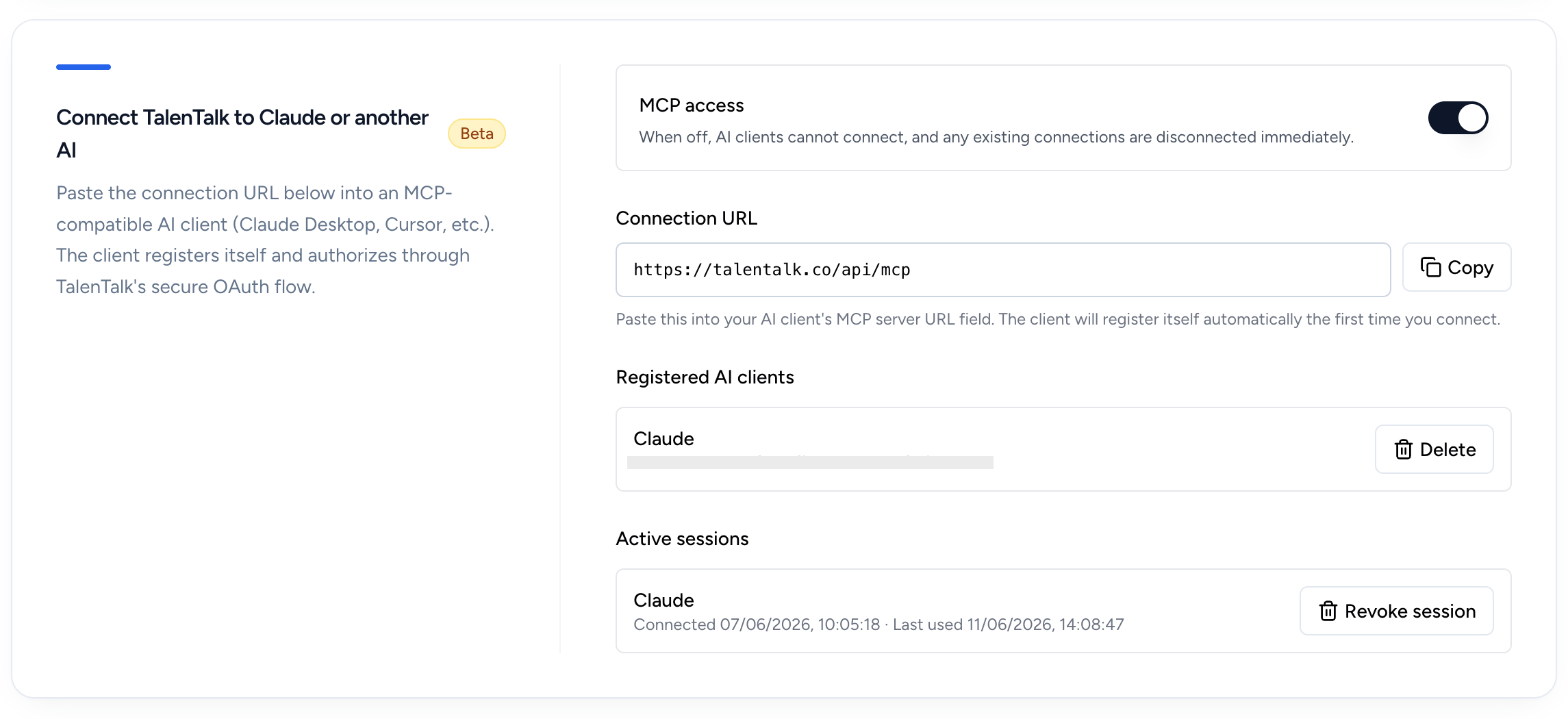
Open your Talentalk AI settings. The "AI Connector (MCP)" box sits just below the main AI settings box.
Turn the MCP access switch on. This activates the secure MCP endpoint that ChatGPT will connect to. You can switch it off at any time to revoke all connected AI clients instantly.
2
Copy your MCP connection URL
Once MCP is enabled, Talentalk shows your personal connection URL. Click "Copy" next to it.
# Your Talentalk MCP URL looks like:
https://talentalk.co/api/mcp
https://talentalk.co/api/mcp
3
Add a custom connector in ChatGPT
Open ChatGPT and open the user menu. Custom MCP connectors are available on ChatGPT Pro, Business, Enterprise and Edu plans.
Step 1
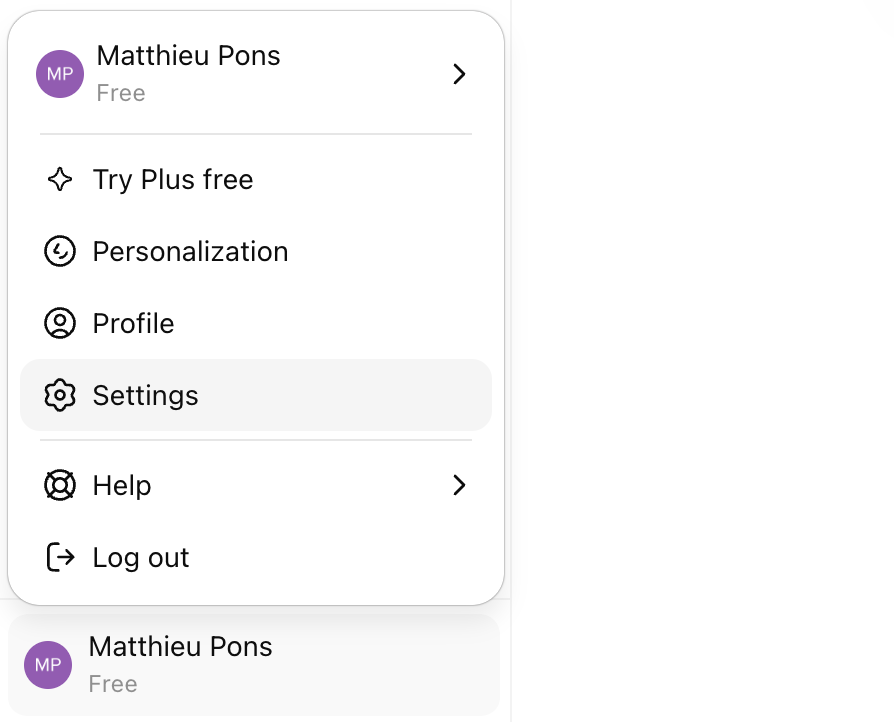
Click on your name in the bottom-left corner of the ChatGPT window, then click "Settings" in the menu that opens.
Step 2
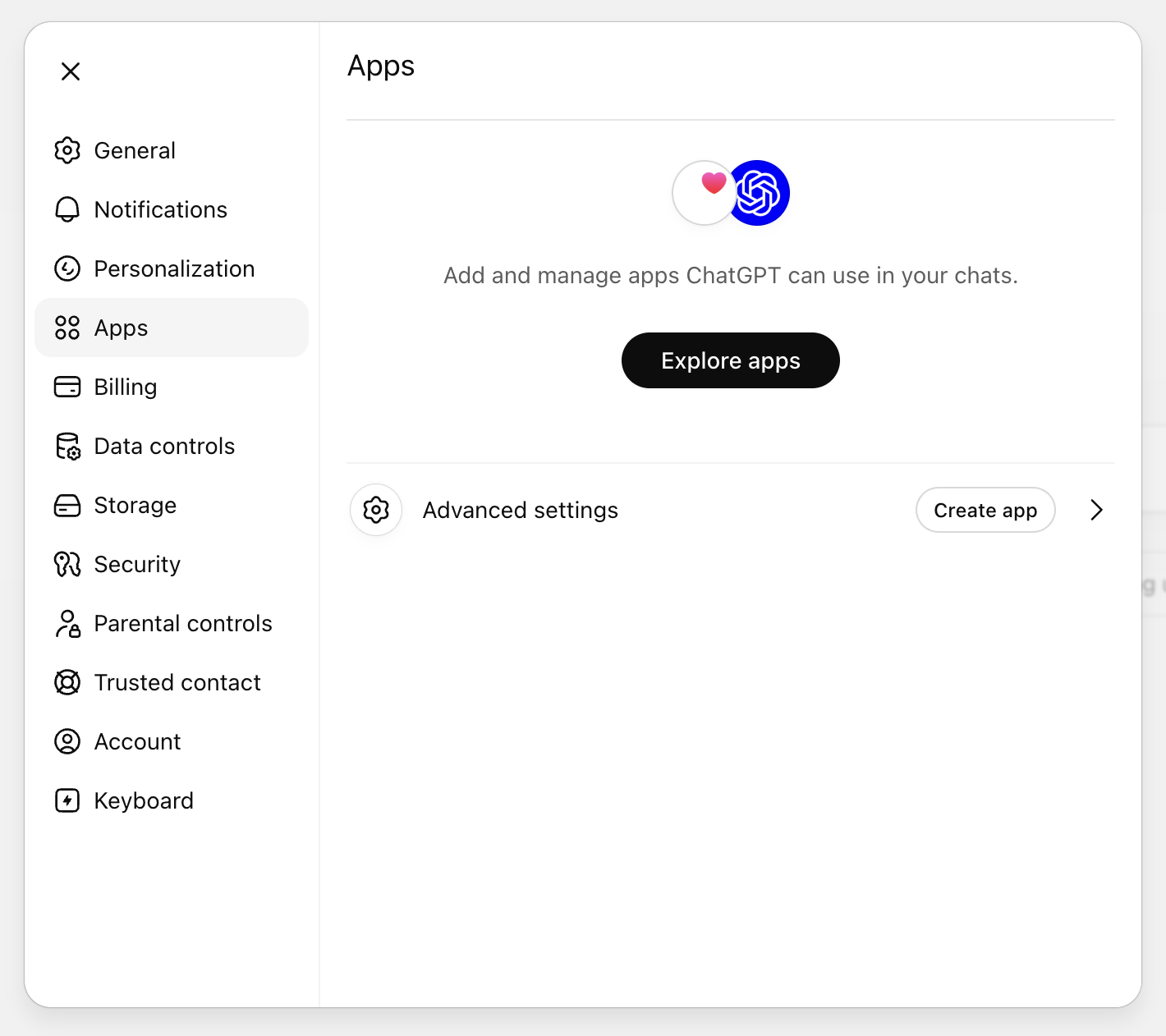
In the settings sidebar, open the "Apps" tab, then click into "Advanced settings" at the bottom of the panel.
Step 3
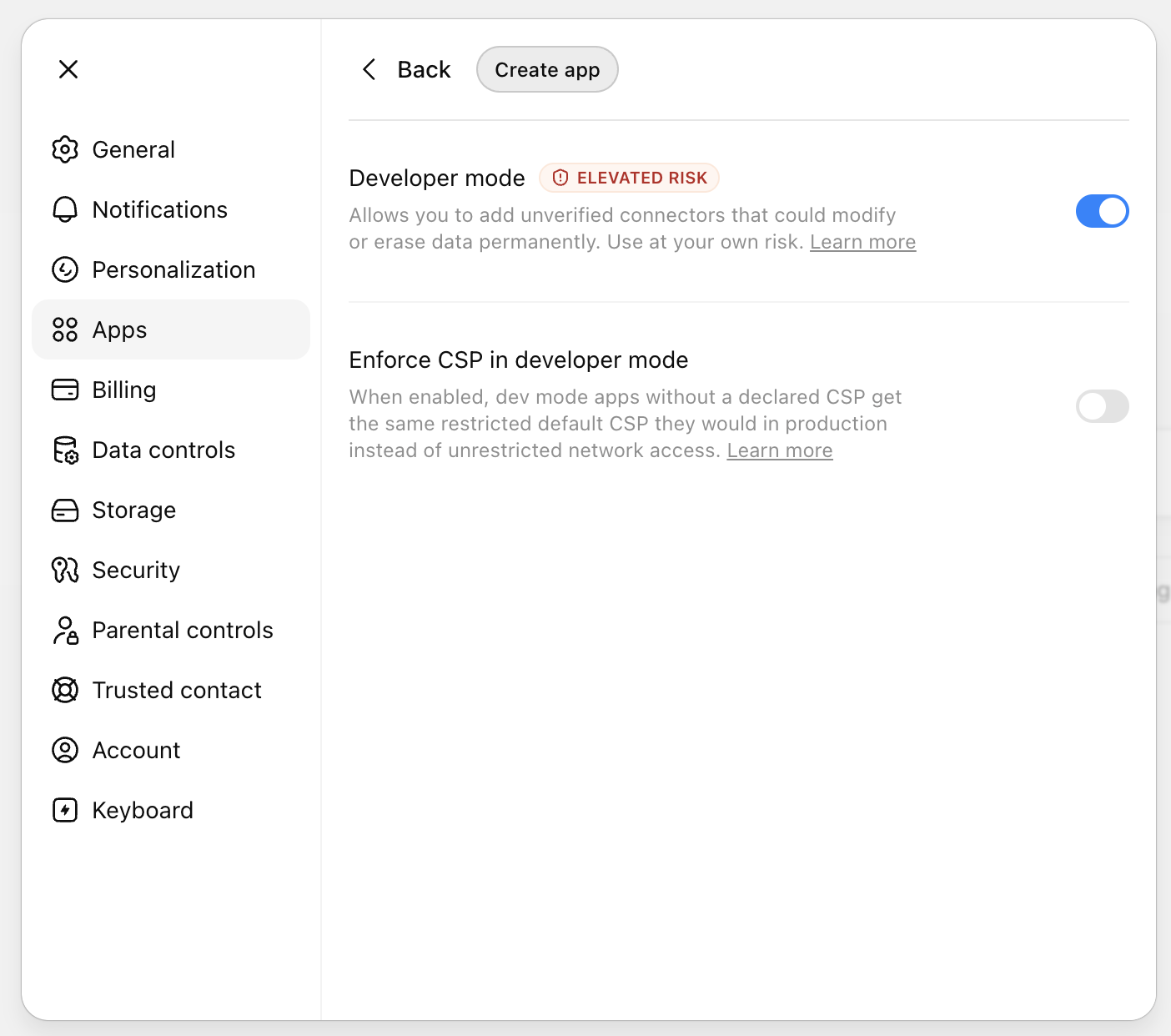
Turn on "Developer mode" (required to add custom MCP connectors), then click "Create app". Name it "Talentalk" and paste the connection URL from step 2.
4
Authorize the connection
Step 1
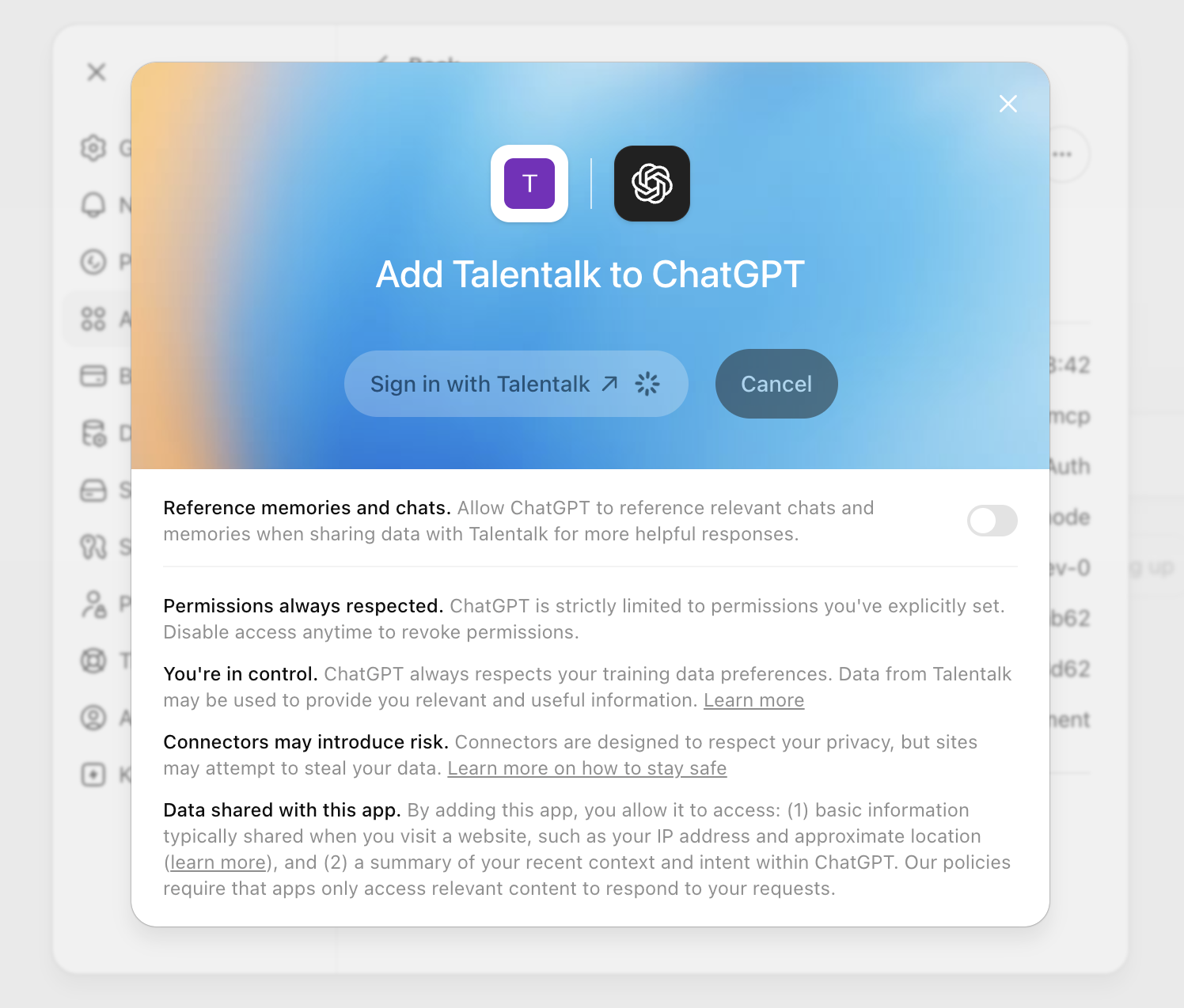
ChatGPT will show an "Add Talentalk to ChatGPT" dialog. Click "Sign in with Talentalk" to start the OAuth flow.
Step 2
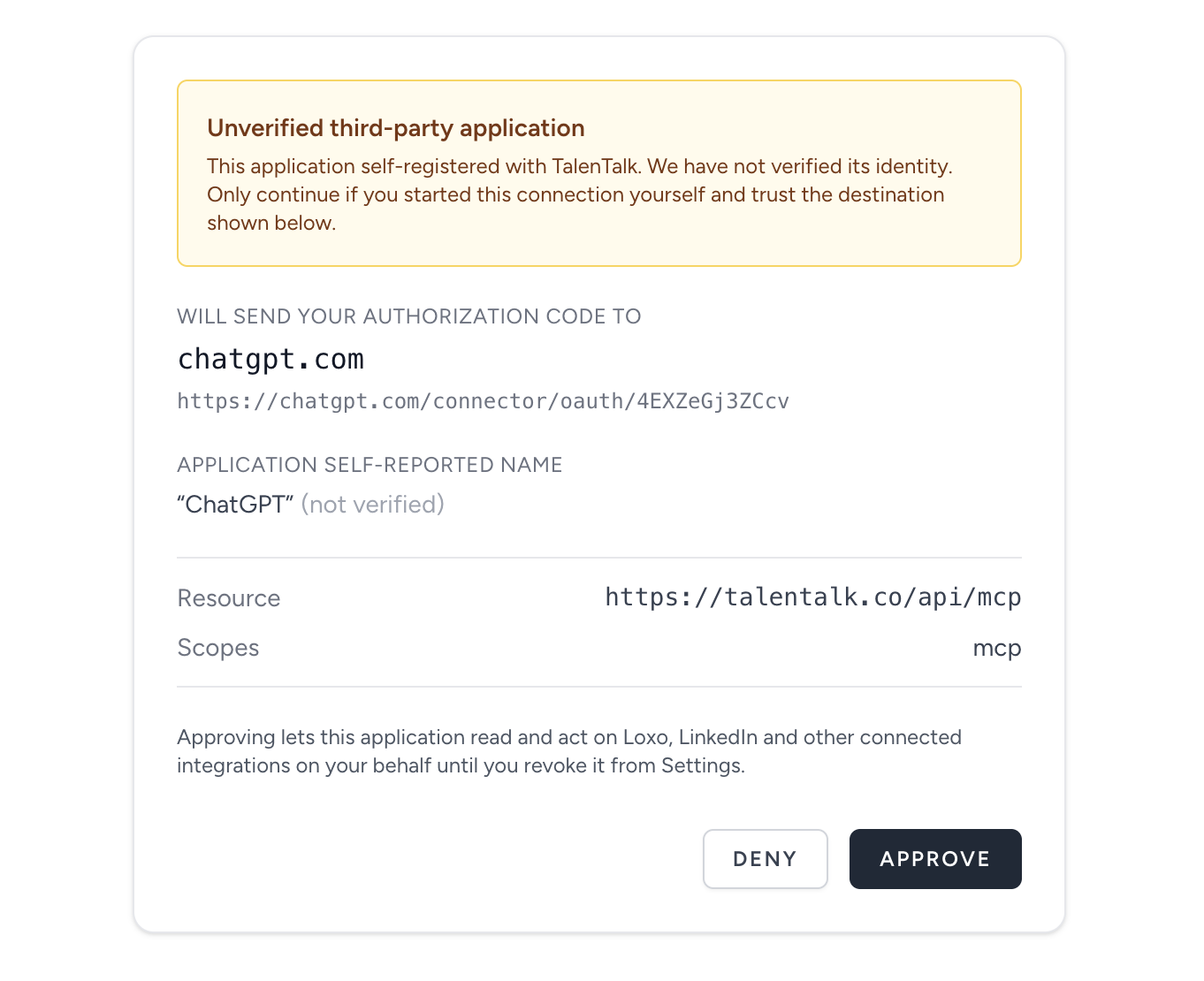
If it's your first time connecting ChatGPT to your account, you'll see an "Unverified third-party application" notice. You can ignore it and click "Approve" to allow ChatGPT to connect to your Talentalk account.
5
Start chatting
You're done. Open a new ChatGPT conversation, make sure the Talentalk connector is enabled for the chat, and try:
# Try asking ChatGPT:
Summarize the LinkedIn conversations I had this week.
Who's still waiting on a reply from me?
Draft a follow-up for Marcus Lee based on our last exchange.
Summarize the LinkedIn conversations I had this week.
Who's still waiting on a reply from me?
Draft a follow-up for Marcus Lee based on our last exchange.
That's it! ChatGPT is connected to Loxo 🎉
You can revoke ChatGPT's access at any time from the Talentalk settings page. Prefer Claude? Read the Claude guide.
New to Talentalk?Start your 10-day free trial – no credit card required.
Start free trial
Book a demo